



Test your robot virtually, then build it for real.
MoonVerse brings MoonTinker circuits and code to life in a realistic, physical environment. Every design that succeeds here is ready for the lab floor.
Why it matters
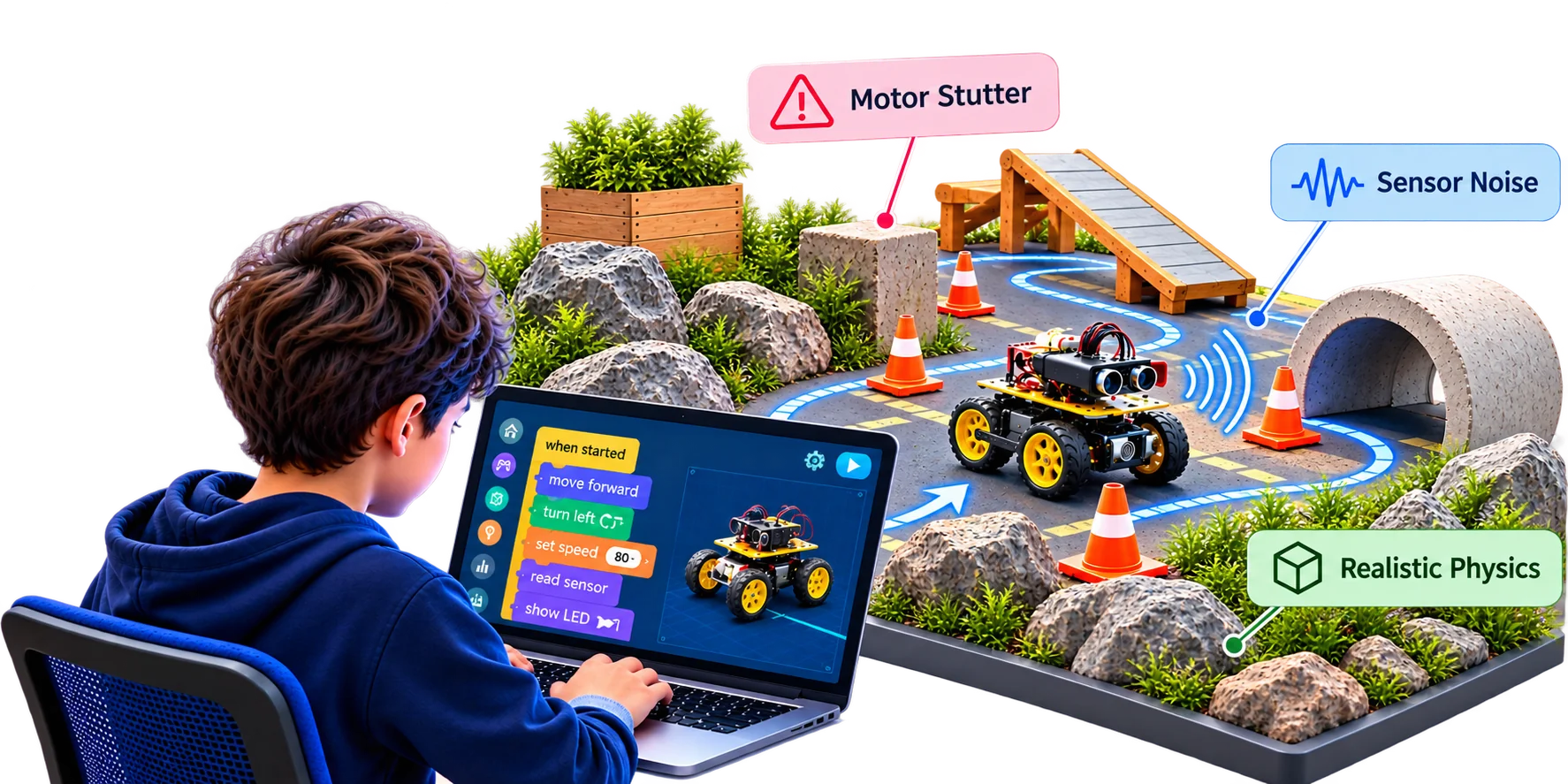
Build for the conditions that really exist.
MoonVerse models how real hardware behaves, so the program that passes here is ready for the real floor. Students learn to design with confidence for the conditions they'll actually face.
Scenes
Pick a world, drop in the circuit, press run.
Each scene is a scenario engine with named roles. Parts bind to roles such as left motor, centre line sensor or soil probe, and the engine reads the program about 30 times a second.

Line follower
Draw a track, add obstacles, signs and detours. Drive a MoonBot, a two-wheel car or a four-wheel car with your own control loop.
Smart garden
Soil bed, moisture probe, sprinkler, water tank, pump and heater. Your program decides when to water and when to warm.
Home security
Rooms, doors, PIR and gas sensors, keypad, alarms and appliances. Build the panel that watches the house.
Festive decor
RGB strips, light panels, glow orbs and neon on a night backdrop. Program patterns, colours and brightness.
Control panel
Device widgets, gauges and an IMU view. Read the MPU-6050, drive outputs and watch the dashboard respond.
Smart builds
Beams, gears, joints and linkages, driven by servos and motors from your circuit.
The loop
One loop ties the circuit, the code and the world together.
Your child never writes scene code. The same MicroPython or blocks that run on a real board run here.
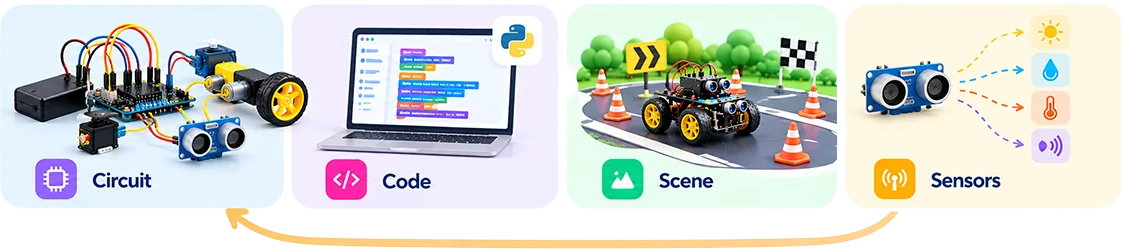
Circuit
Your MoonTinker circuit is solved continuously: pins, motors, sensors and drivers as wired.
Code
Your program runs against that circuit, exactly as it would on a micro:bit, Pico or NodeMCU.
Scene
The scenario engine reads your actuators through role bindings and moves the world.
Sensors
The world writes sensor values back into the circuit, and the loop starts again.
Realism
Built to behave like the robot you will get.
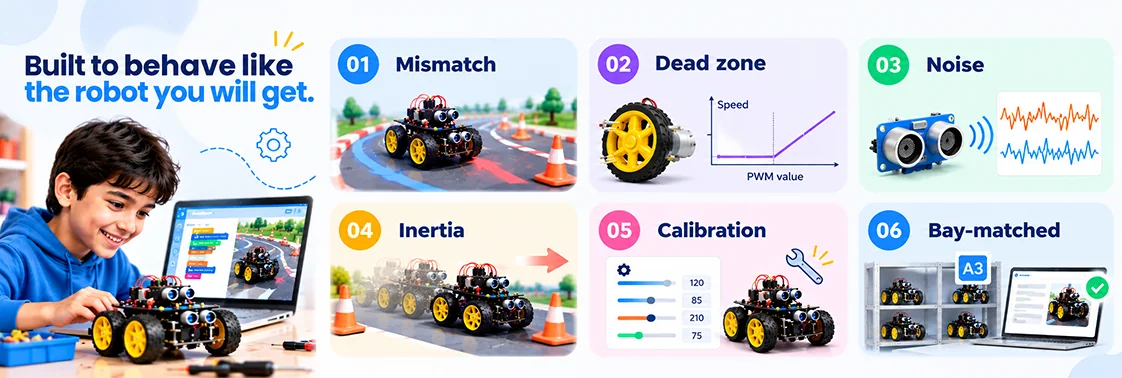
Mismatch
Left and right motors never match. The car drifts unless the code corrects it.
Dead zone
Small PWM values do nothing, as on a real gearmotor. You learn to start from a threshold.
Noise
Line and distance sensors jitter. Filtering and hysteresis become part of the design.
Inertia
Robots keep rolling after the motor stops. Braking distance is real.
Calibration
Per-robot calibration values, the same ones a real MoonBot needs, live in the scene.
Bay-matched
Book a lab bay and the scene can take that bay's robot parameters, so the bench matches the build.
Platform
One stack. Four connected layers.
The integrated journey is the product, not separate portfolio layers. Build in MoonTinker, simulate in MoonVerse, deploy on MoonKits.
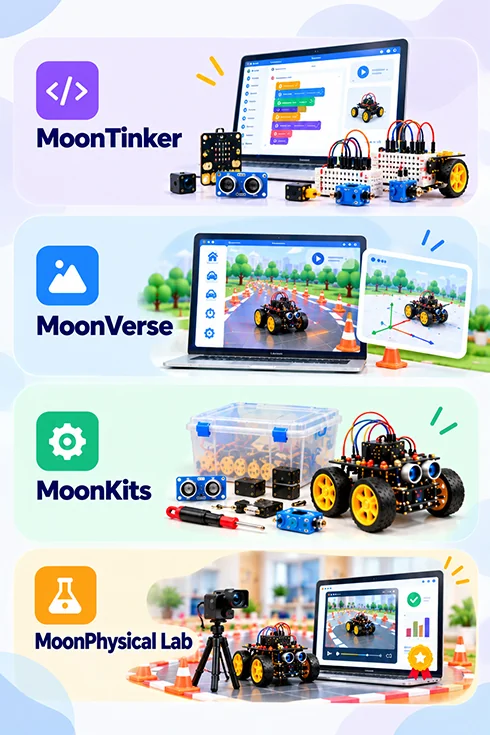
MoonTinker
Code. Design. Simulate.Circuit and coding environment for components, sensors and control logic.
MoonVerse
System-level modeling and simulationModel systems and test behavior before a real robot is involved.
MoonKits
Calibrate. Deploy. Validate.Wire, calibrate, test and debug robotics and AI projects on real hardware.
MoonPhysical Lab
Run it for real.Runs your proven program on a real robot and returns the recording, data and grade.
Vision
Where this is going.
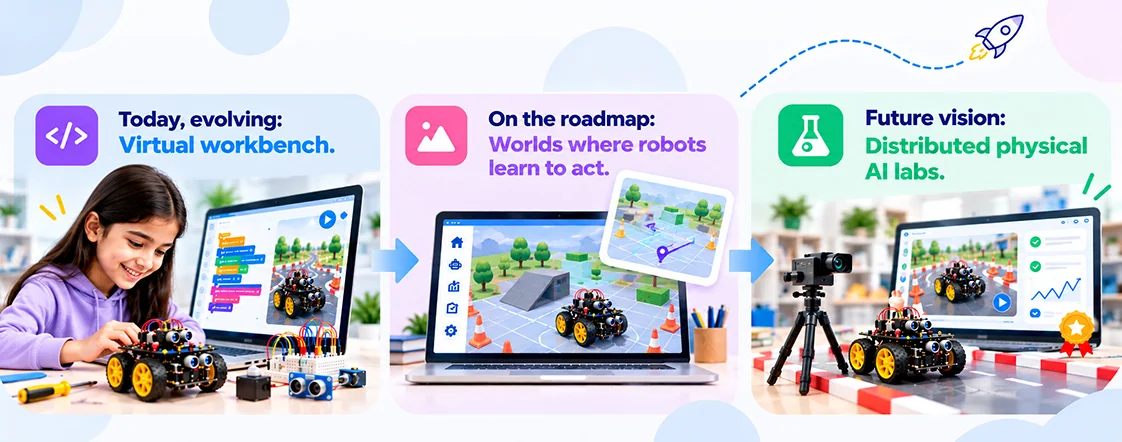
Today, evolving
Virtual workbench
A richer environment for circuit design, embedded code, sensors and intelligent-hardware experiments.
On the roadmap
Worlds where robots learn to act
Navigation, sensing and programmed behavior in more realistic simulated environments.
Future vision
Distributed physical AI labs
Access real robots remotely to experiment, calibrate, test and validate behavior in the physical world.
95% Simulation
Most iterative development moves into virtual environments. Physical labs are reserved for calibration, testing and validation.
Target architecture, not a measured result.
5% Real-world validation
Lab handoff
From the bench to the bay.
The design you prove in MoonVerse is the design the MoonPhysicalAI Lab deploys.
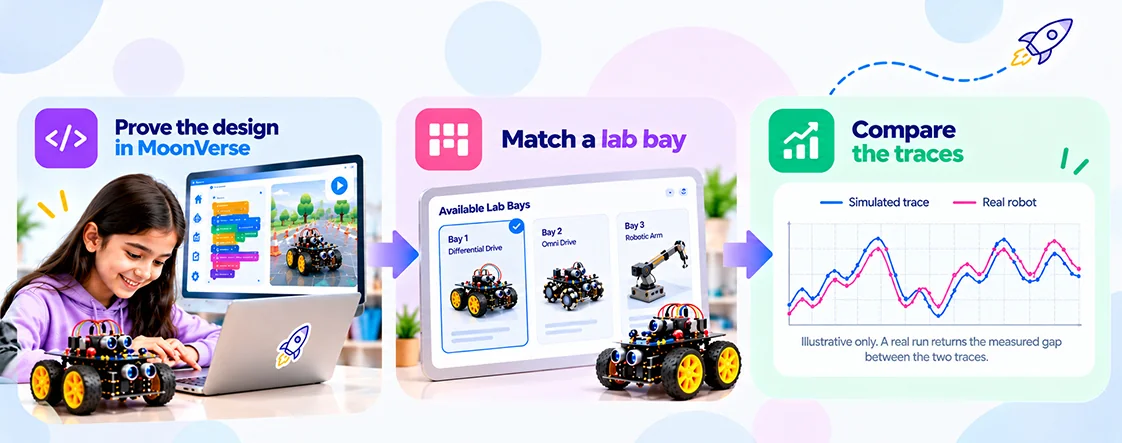
Prove the design in MoonVerse
Iterate on the circuit and code until the scene behaves as intended.
Match a lab bay
Matching shows which bay fits and what differs before you book.
Compare the traces
The run returns the gap between the simulated and the real trace.
