



 Attend our in-person Robotics & Math
FREE workshop
for your child (7-18yrs old) in your City
Reserve a seat today!
(No credit card needed)
Attend our in-person Robotics & Math
FREE workshop
for your child (7-18yrs old) in your City
Reserve a seat today!
(No credit card needed)

Build smart devices. Teach in real time.
From Learning to Innovation, 1000s of Moonpreneur Students Do It All on MoonTinker.
MoonTinker is LIVE Now — Limited free logins available.
Click the button to sign in and start exploring MoonTinker right away.
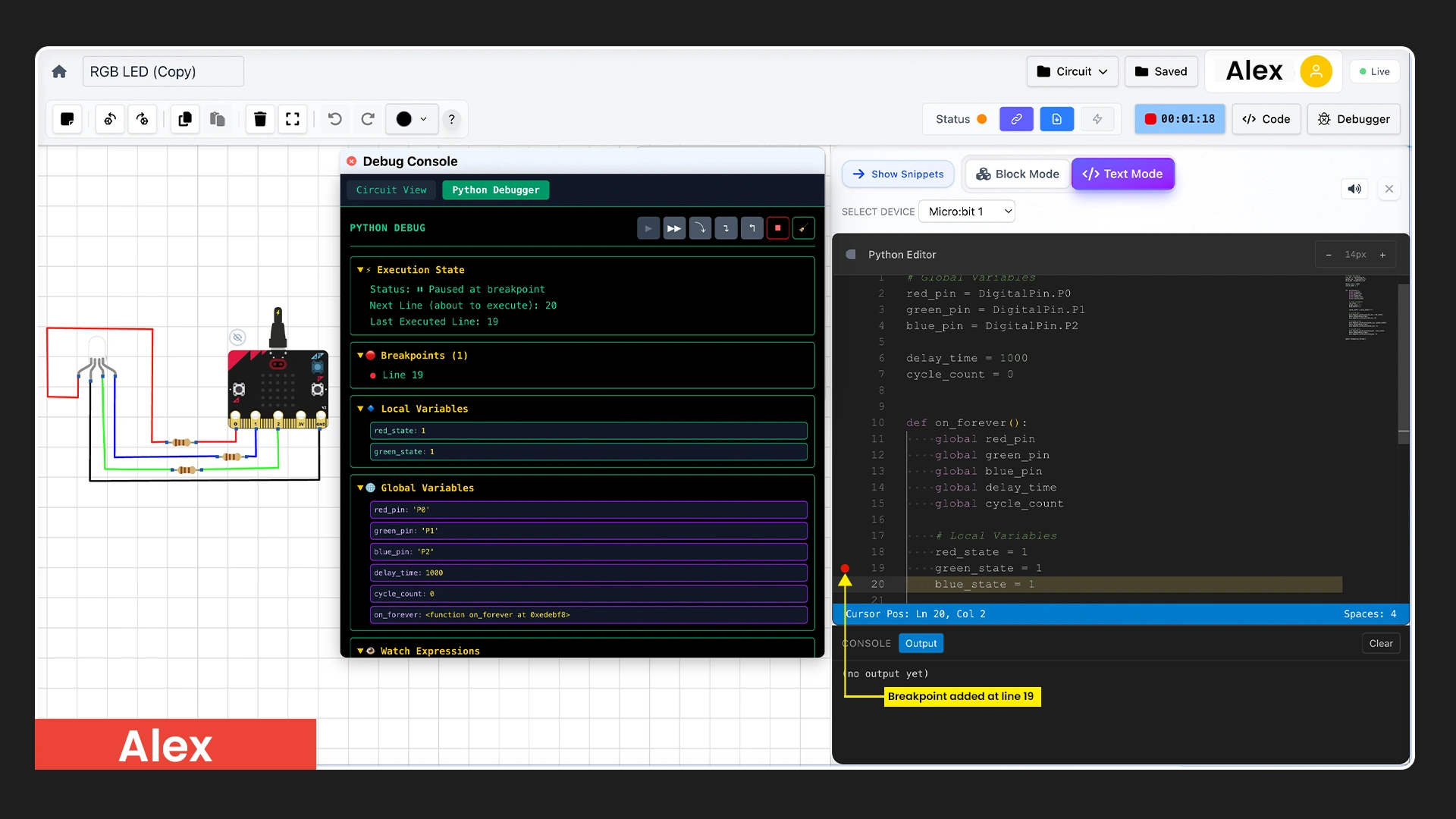
Pause, step through code, inspect variables.
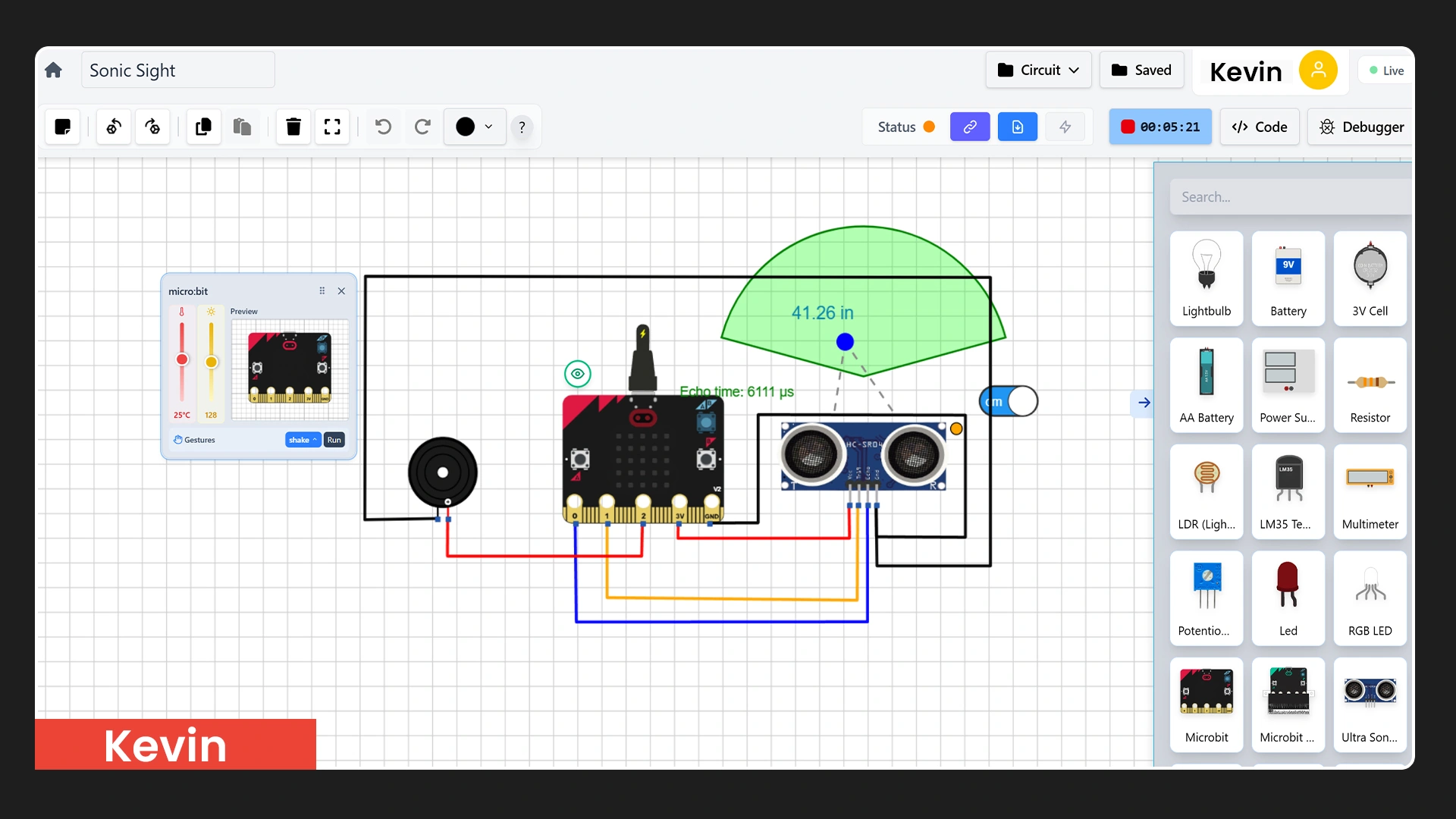
Design and test circuits in a visual environment.
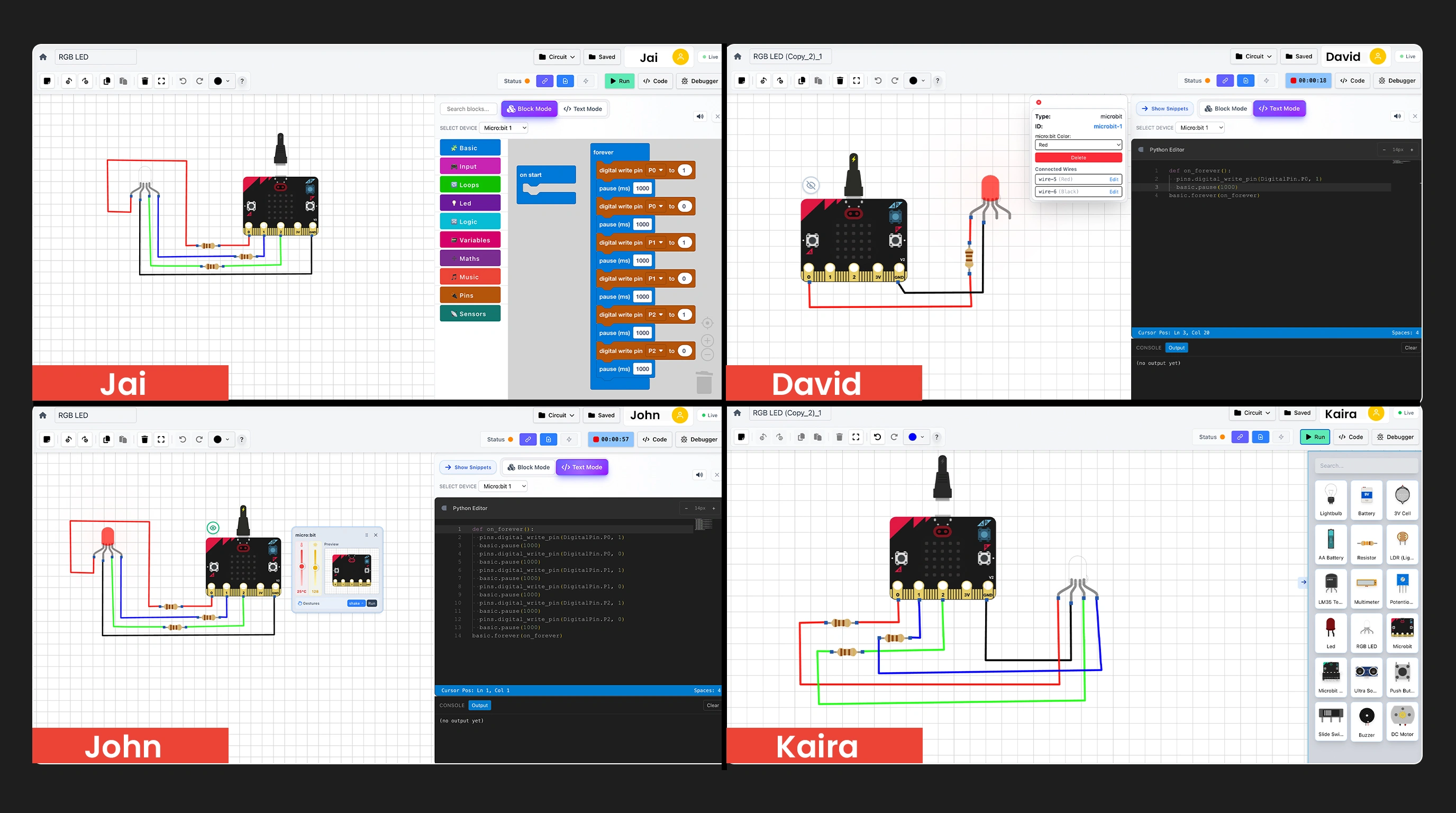
Live preview of all students on one screen.
From Learning to Innovation, 1000s of Moonpreneur Students Do It All on MoonTinker.
MoonTinker lets students design circuits, code in blocks or text, and debug step-by-step — while teachers monitor progress and connect projects to MoonIOT for real-world learning.
Built for schools, colleges, and educator networks, MoonTinker enables scalable, hands-on learning of electronics and embedded systems — without the need for physical labs.
Pause, step through code, inspect variables — so students learn why, not just what.
Design and test circuits in a visual environment. No hardware required to get started.
Live preview of all students on one screen — spot who is stuck without waiting for a hand.
Click the button to sign in and start exploring MoonTinker right away.
MoonTinker brings the full learning loop into one place—design circuits, code in blocks or text, debug step-by-step, and move toward real-world smart device building with MoonIOT connectivity.
Students stay in flow—circuits, coding, and testing live together in one environment.
Breakpoints, stepping, variable inspection, watch expressions—so students learn "why," not just "what."
Live previews, interactive help, assignments, grading, and annotated suggestions—built for sessions.
Teach faster and support better: see every learner live, jump into any student's workspace, and guide them interactively—while changes sync instantly both ways.
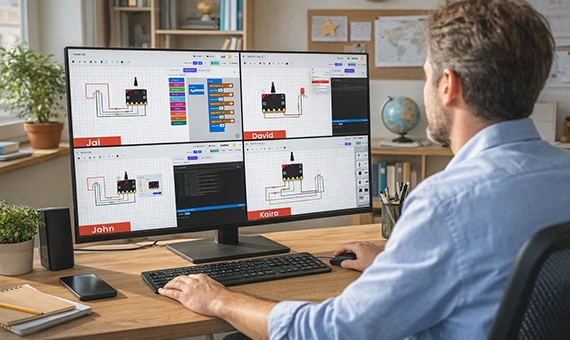
Teachers get a single dashboard showing every student's current circuit/code workspace in real time.
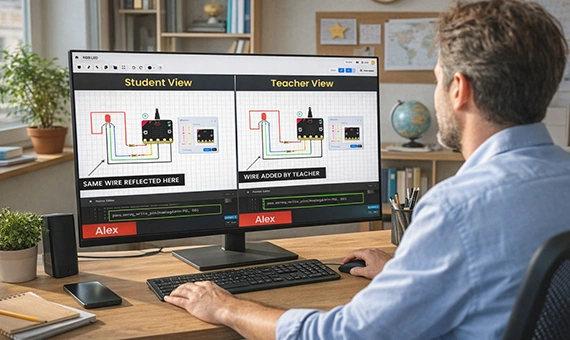
Teachers can fix circuits or code directly while explaining the reasoning—changes reflect instantly on the student screen, and vice versa.
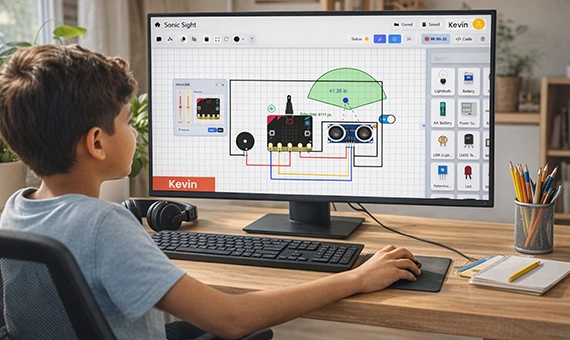
Give classroom or home assignments, collect submissions, grade work, and annotate suggestions right on the student's project.
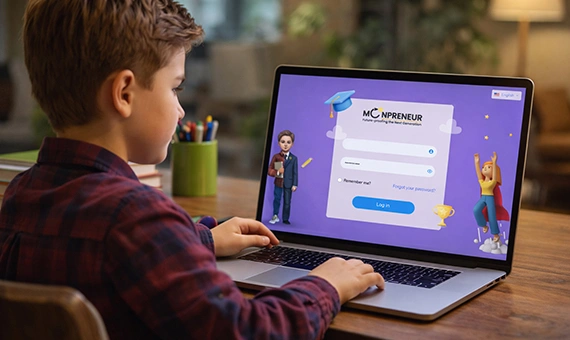
Students can start classroom and home assignments from within an LMS. MoonTinker supports APIs for integration with LMS systems.
Are you a school, college, or education network looking to bring advanced hardware and IoT learning to your students?
Get AccessMoonTinker works seamlessly with MoonIOT—so students can control circuits/smart devices and monitor data, completing a comprehensive "design + debug + connect" journey.
Move beyond simulation by connecting projects to MoonIOT for remote control and interactive dashboards.
Students experience the full lifecycle: build the circuit, write the logic, debug it, then connect and control it—just like real systems.
Design the circuit, code behavior, debug logic, then control lights remotely via MoonIOT.
Send sensor data to dashboards and visualize trends over time for real-world insights.
Trigger actions based on conditions and build "if-this-then-that" behaviors for devices.
Partner with MoonTinker to deliver hands-on, future-ready learning experiences—without infrastructure constraints.
Get In TouchMoonTinker works differently depending on where you sit.
For Students
From your first drag-and-drop circuit to a working IoT device — without ever starting over on a new tool.
For Educators
From a classroom of 30 invisible screens to full visibility, real-time intervention, and structured outcomes.
For Students & Educators
See how MoonTinker works for both sides of the classroom.
Student
One unified workspace— design, code, debug, and connect without switching toolsEducator
Full classroom dashboard— every student's workspace visible on a single screenStudent
Start with blocks, move to Python, advance to C/C++, all in the same environmentEducator
Assign coding challenges at any language level; track progress across the classStudent
Step through code, set breakpoints, inspect variables, and understand why something breaksEducator
Jump into any student's debugger in real time— identify logic gaps before frustration sets inStudent
Drag-and-drop visual circuit builder with real component simulation and instant feedbackEducator
Monitor live circuit builds across all students simultaneously; annotate directly on their workStudent
Flash code to real boards (micro:bit, Arduino, NodeMCU, Raspberry Pi Pico) and connect to the cloudEducator
Supervise hardware transitions remotely— no physical lab requiredStudent
Build, test, and iterate on projects— alone or as part of a teamEducator
Co-debug with students live; changes sync both ways instantlyStudent
Receive annotated suggestions directly on your circuit or codeEducator
Grade, annotate, and return work without leaving the platformStudent
Every project builds toward a real, cloud-connected smart deviceEducator
Assign structured project paths— from the first circuit to the fully connected deviceClick the button to sign in and start exploring MoonTinker right away.
No need to replace your existing hardware. MoonTinker supports the most widely used microcontroller boards — and can be extended to support any board your program requires.
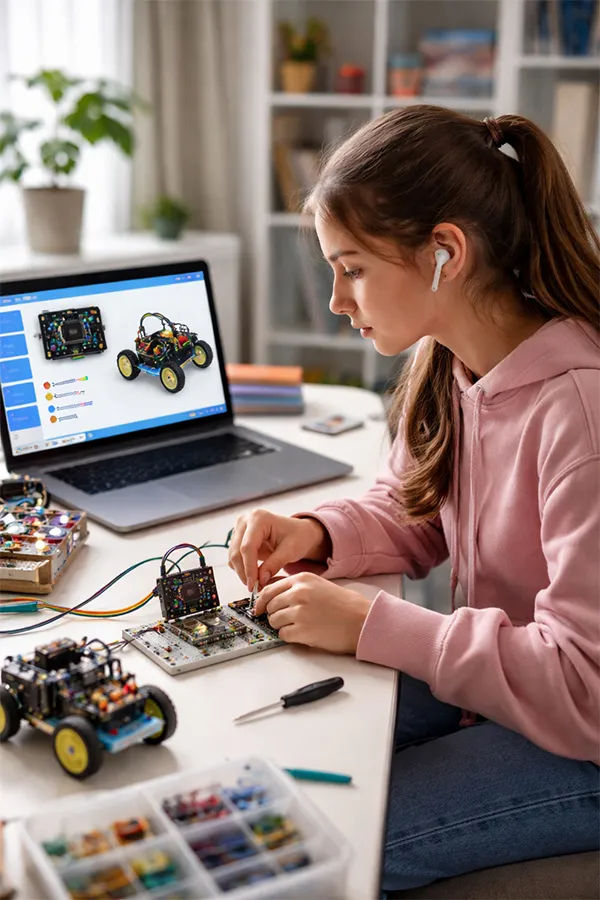
Ideal for K–12 introductory circuits and beginner embedded programming. Widely used in schools worldwide.
The standard for hands-on electronics education globally. Broad component and library support.
Built-in WiFi support for IoT and connected device projects. Perfect for MoonIOT integration.
Advanced projects requiring precise control and Python compatibility. College-level use cases.
Custom board support available. MoonTinker can add simulation and integration support for specialized boards — including the TI-RSLK Robot Systems Learning Kit and others used in higher-education engineering programs.
*Please connect with us for support with Arduino Q, NodeMCU, and Raspberry Pi Pico
Students don't just simulate — they build real connected systems. MoonTinker's four-step integration path takes learners from a circuit on screen to a live, cloud-connected smart device.
Build the circuit in the simulator and write code using blocks, Python, or C++.
Flash code to ESP32 or Arduino. Real sensors replace virtual ones instantly.
Secure MQTT broker handles bi-directional data between the device and the web.
Build custom dashboards, mobile apps, or integrate with third-party tools.
MoonTinker brings everything into one place— teachers see every student's workspace live and can co-debug in real time, students code in blocks, Python, or C without switching tools, and every project follows a clear path from simulation to real hardware to cloud connectivity. Assignments, grading, and annotations are built in, IoT dashboards come standard, and the platform works with micro:bit, Arduino Q, NodeMCU, Raspberry Pi Pico, with support extensible to any board your program already uses.
With TinkerCAD or MakeCode, the teacher is completely blind to what students are doing. With MoonTinker, you see every student live — and can fix it in real time.
Click the button to sign in and start exploring MoonTinker right away.
©️ Copyright, Moonpreneur Inc.
691 S Milpitas Blvd, STE 217 Milpitas CA 95035, USA


