



 Attend our in-person Robotics & Math
FREE workshop
for your child (7-18yrs old) in your City
Reserve a seat today!
(No credit card needed)
Attend our in-person Robotics & Math
FREE workshop
for your child (7-18yrs old) in your City
Reserve a seat today!
(No credit card needed)
MoonCampaign by Vaishanth (12 years)
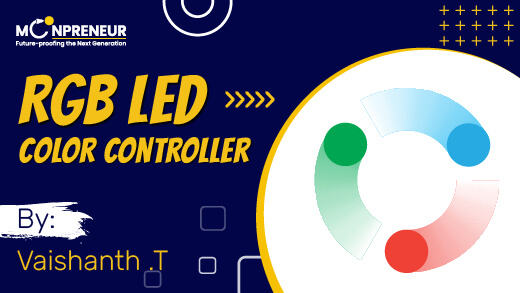
Vaishanth .T's "RGB LED Color Controller" showcases the power of if and else statements in programming to control an RGB LED, producing a spectrum of colors based on user input. By connecting the LED to an Arduino UNO, he created an interactive setup where button presses control the LED's color output, offering an engaging way to explore basic coding concepts. This project serves as an excellent educational tool, combining creativity with electronics to inspire others to experiment with programming and color mixing.
👍
⭐
Views:
MoonCampaigns highlight student's creativity, public speaking, presentation skills, and teamwork, with an impressive track record that speaks volumes. MoonCampaigns, through quarterly Show & Tell, highlight thousands of inspiring learning stories from Moonpreneur students worldwide.
Innovative MoonCampaigns
Minutes of Visual Content
Unique Video Views
Unique Feedbacks and appreciation to kids from community
parents observed transformational changes in their ward's STEM knowledge and leadership skills
Parents Reported Increased Confidence in their child
As someone fascinated by the colorful displays in everyday technology, I wanted to explore how an RGB LED could recreate a spectrum of colors using simple programming logic. My project, "RGB LED," uses an Arduino UNO and the flexibility of if and else statements to control the behavior of the RGB LED, showcasing how basic coding concepts can create a visually appealing output.
The setup consisted of an RGB LED connected to the Arduino UNO via three digital pins, each controlling one color—red, green, or blue. I used if and else statements in my code to allow the LED to change colors based on specific conditions, such as button presses or sensor input. For instance, pressing Button A would activate the red component, Button B would activate green, and pressing both would mix the colors to create yellow. The logic was simple yet effective, illustrating how conditional statements could dictate hardware behavior.
See what people around the world are saying about Vaishanth RGB LED Color Controller project
Everything parents need to know about building future-ready skills in an AI-powered world.
The future of work is changing rapidly. According to the World Economic Forum's Future of Jobs Report 2025, while AI is expected to create 69 million new jobs globally by 2030, it is also projected to eliminate 83 million roles, especially those involving routine and repetitive tasks. The message is clear: success in the future will belong to those who can think critically, solve complex problems, and adapt to change.
While AI can automate tasks, it cannot replicate uniquely human abilities such as:
These are the future-proof skills every child needs.
MoonCampaign gives students (ages 7–16) hands-on opportunities to build real projects using technology. Along the way, they develop:
Project-based learning pushes children beyond memorization. It teaches them to experiment, debug mistakes, solve unexpected problems, and think independently. When kids build, test, fail, improve, and present their work, they develop the exact mindset needed to thrive in an AI-driven world—not just as users of technology, but as future creators and innovators.
Every child is gifted. Discover how yours can innovate and lead
©️ Copyright, Moonpreneur Inc.
691 S Milpitas Blvd, STE 217 Milpitas CA 95035, USA
